So when you say nothing works.. what does that mean exactly?
I can’t comment on Serato as I don’t (and have never) used it with an approved sound card. So, Virtual DJ (On Windows):
First of all I would update to Virtual DJ 8 – this should be free with your current Virtual DJ license as all upgrades are free if you have bought the full license.
The reason I say this is that the mixtrack quad was released after they stopped developing virtual DJ 7 (this was roughly 2 years before V8 was released last july), and there is therefore no built in support for it.
Then download (and install) the mapping from the numark website (http://www.numark.com/product/mixtrack-quad), look on the right hand side as below:
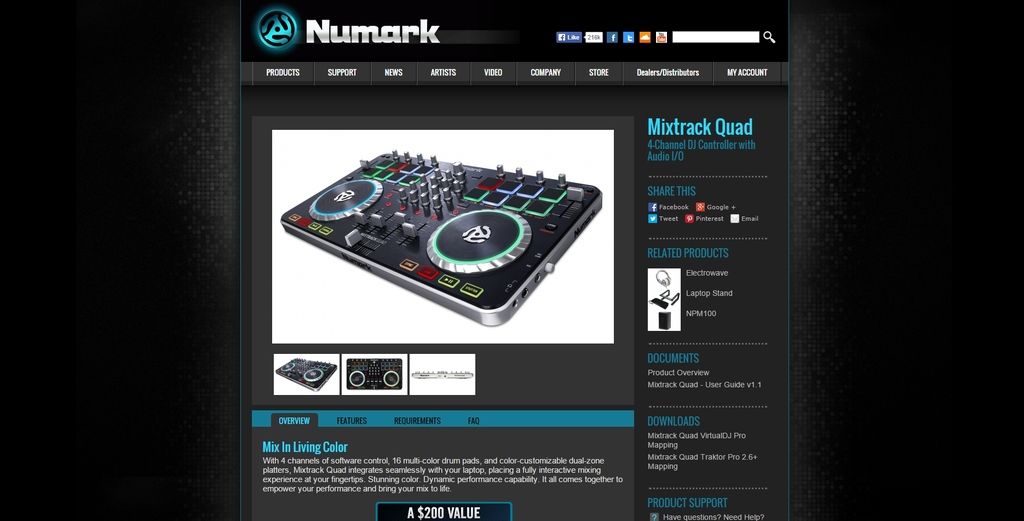
Once you have done that, make sure that all the settings are how you want them in VDJ (IE correctly set up for the way you DJ and the system you use).
Then make sure that the audio output is set correctly, and check that the correct controller mapping is being used.
Then it should all be working..
bob6397
PS: A good tip is to always plug everything into the same USB port – don’t keep swapping which port you plug it into. This is less of an issue on a mac but because of the way that Windows controls devices, it will treat an old device in a new USB port as an entirely new device and try to install drivers for it each time – not heplful. 🙂

.


